
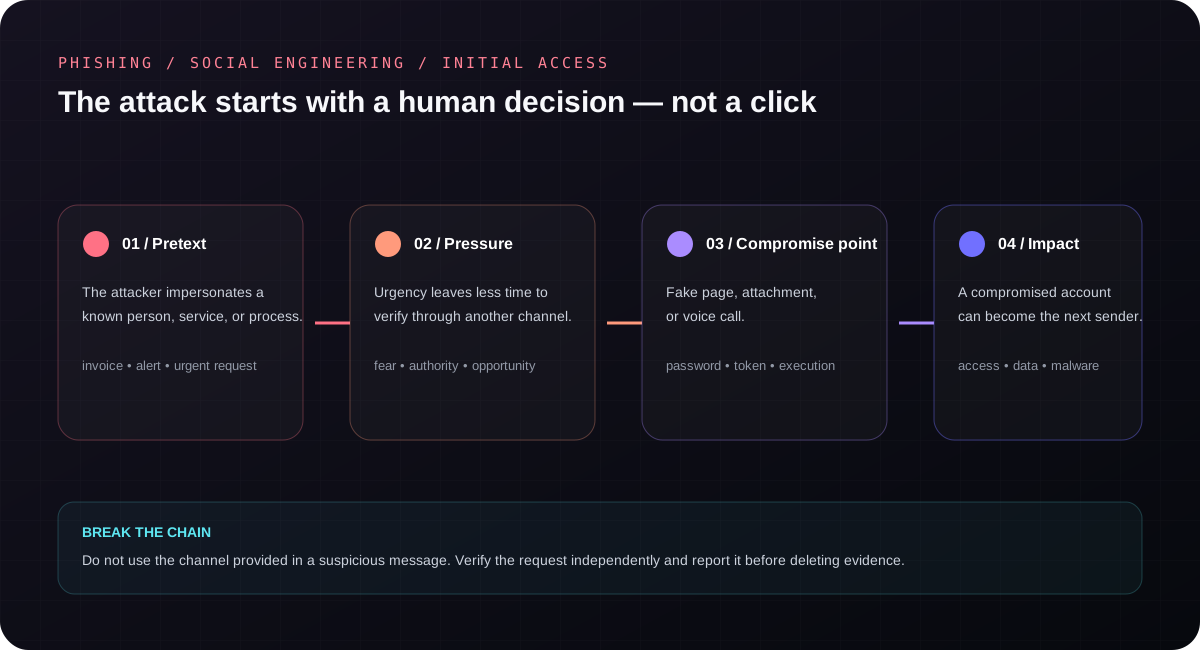
Phishing is a process of influence, not a message format
MITRE ATT&CK classifies phishing as electronically delivered social engineering intended to gain access to a system or account. A message may arrive through email, instant messaging, SMS, a social platform, or even direct the recipient to a phone call.
The channel is not the decisive element. The attack builds a credible pretext, adds pressure, and leads to a point of compromise: a fake login page, a file, installation of remote-access software, disclosure of an MFA code, or approval of an operation.
Phishing, spear phishing, and whaling
Mass phishing
One campaign reaches many recipients. The pretext is broad: an undelivered parcel, an account lockout, an invoice, a surcharge, or a security alert.
Spear phishing
The message is tailored to a specific person, organization, or industry. The attacker may first use public information, breached data, or a compromised partner mailbox.
Whaling
This is spear phishing aimed at people in key roles: executives, owners, directors, finance staff, or administrators. The targets may be payments, confidential documents, and accounts with broad access.
A person in a senior role is not necessarily the weakest link. They are, however, a high-value target, often work under pressure, and may approve actions unavailable to an ordinary user.
Example: an “urgent change of supplier bank details”
- The attacker learns about the relationship between the organization and a supplier or compromises a genuine mailbox.
- A message about changed bank details and an urgent payment appears inside an existing thread.
- The tone, signature, and conversation history look credible.
- The recipient is urged to bypass the normal confirmation procedure because the deadline is “today.”
In this scenario, a correct sender domain does not always prove safety—the account itself may have been compromised. The control is independent confirmation of the change and a procedure requiring additional approval.
Warning signs that require a pause
- urgency combined with a threat of suspension, loss, or workplace consequences;
- a request for a password, MFA code, payment, or change of billing details;
- an address or domain similar to the legitimate one but not identical;
- a link pointing to a different domain than its visible text suggests;
- an unexpected file, QR code, or instruction to install software;
- a request to bypass the usual procedure “just this once”;
- a request to keep the action secret.
The absence of these signs is not a guarantee. Modern campaigns can use correct language, genuine logos, and compromised accounts. Verifying context matters more than hunting for spelling mistakes.
What to do after clicking or disclosing information
If a password was entered
Use a trusted device and the legitimate service address. Change the password, terminate active sessions, review recovery methods and mailbox rules, and report the situation to the administrator. If the password was reused elsewhere, those accounts also require a change.
If MFA was approved
Treat the event as a possible account compromise. Changing the password alone may not restore control—sessions, tokens, and suspicious sign-in methods must be revoked.
If a file was executed or software installed
Do not blindly delete everything or clear logs. If organizational procedure allows, restrict the device's connectivity and contact the technical team. Preserve the message, event time, filename, and observed symptoms.
How an organization limits the impact
Training is necessary, but it cannot be the only barrier. Protection should combine people, process, and technology:
- SPF, DKIM, and an appropriate DMARC policy for the domain;
- phishing-resistant MFA wherever possible;
- independent confirmation of payments and supplier-data changes;
- an easy button or channel for reporting suspicious messages;
- monitoring for unusual sign-ins, mailbox rules, and new OAuth applications;
- short role-based exercises that do not shame employees.